

Excel Formulas Simplified: The Power of One Extra Character
Adding just one more character to an Excel formula can solve tricky boundary issues, making your formulas more reliable and versatile.
Search
Results for "Excel".
Adding just one more character to an Excel formula can solve tricky boundary issues, making your formulas more reliable and versatile.

Excel's Forecast Sheet tool accurately predicts future sales with just one click, offering a realistic range for better inventory and budget planning.

AI coding tools have revolutionized the creation of software, making it possible to develop applications quickly and efficiently.

Master the art of forecasting future revenue with Excel's dynamic arrays, making complex calculations a breeze for business owners.

Even simple spreadsheets can benefit from advanced Excel features that seem too complicated. These features are easier to use than you think and can save you hours of manual work.
Excel has introduced several powerful functions, but pivot tables remain indispensable for complex data analysis. This guide will help you master pivot tables, including key features and practical tips.

You don't need to spend money to secure your precious.

Excel is essential on the desktop, but your phone can also excel in certain tasks. Learn how to leverage both.

Descubra quatro aplicativos alternativos para Excel que podem tornar suas cálculos mais rápidos e fáceis sem abrir a ferramenta completa.

Learn how the SCAN function transforms Excel formulas, making them dynamic and scalable.

Discover tools that save time and make Excel work easier, without needing to learn new formulas.
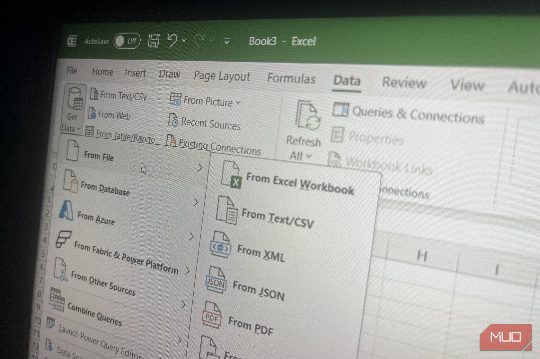
Power Query revolutionized my monthly Excel report process, saving time and effort with its automation features.
Three functions transform Excel from a time-waster to a productivity tool, offering simplicity, flexibility, and powerful data analysis.

Microsoft hides several powerful Excel features deep in menus. Discover them to save time and streamline your work.

Type three semicolons to hide a cell's value without erasing the underlying data, a useful trick for hiding confidential information.

Excel is great until it's not. Here are 5 databases to replace it.

Master these Excel shortcuts to streamline your spreadsheet work and save time.
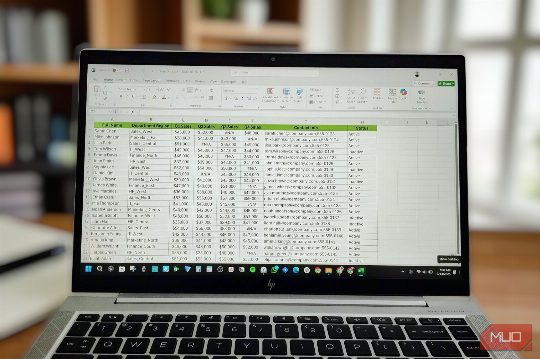
This guide shows how to leverage Excel's advanced Data Model feature to eliminate lookup formulas, making data analysis more efficient and accurate.

Three new Excel functions, REGEXTEST, REGEXEXTRACT, and REGEXREPLACE, streamline text cleaning tasks, replacing complex formulas used for years. These functions are available in Excel for Microsoft 365 and Excel for the web.

Discover how to use the SUMIFS function in Excel to perform complex conditional summing tasks efficiently, including handling multiple criteria and date ranges.

Switching to Excel Binary Workbook (.xlsb) can significantly reduce the size of your spreadsheets, improving performance and saving time, especially for complex and large workbooks.

Why build dashboards the hard way when Excel has had a shortcut since 2003?
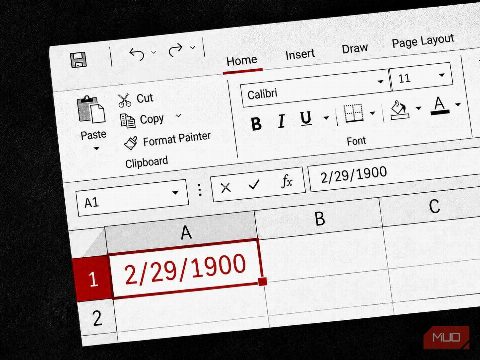
Microsoft's Excel software, despite being the most-used business tool, still contains a 40-year-old bug related to date formatting. This article delves into the history and implications of this issue.

DGET is an underutilized Excel function that excels at multi-criteria lookups without the mess of helper columns or concatenated keys, making it a superior alternative to VLOOKUP.

Discover the overlooked Format Painter button in Excel, a time-saving tool for formatting spreadsheets, with tips and shortcuts.

The MOD function, once avoided for its complexity, has become a versatile and indispensable tool in Excel for handling cycles and patterns.
Understanding common pitfalls in Excel PivotTables can help you produce accurate reports every time, ensuring your data analysis is reliable and efficient.

Discover how Excel's GETPIVOTDATA function can automate your weekly report process, saving you time and effort by retrieving data from pivot tables without rebuilding them every week.

Excel's FILTER function offers a more efficient and dynamic way to filter data compared to the Advanced Filter, updating automatically and simplifying the process with a single formula.

Discover how the LET function can transform your Excel formulas, making them clearer, more maintainable, and more efficient. Learn how to use LET to simplify complex calculations and improve your spreadsheet performance.