

Excel Formulas Simplified: The Power of One Extra Character
Adding just one more character to an Excel formula can solve tricky boundary issues, making your formulas more reliable and versatile.
Search
Results for "Formulas".
Adding just one more character to an Excel formula can solve tricky boundary issues, making your formulas more reliable and versatile.
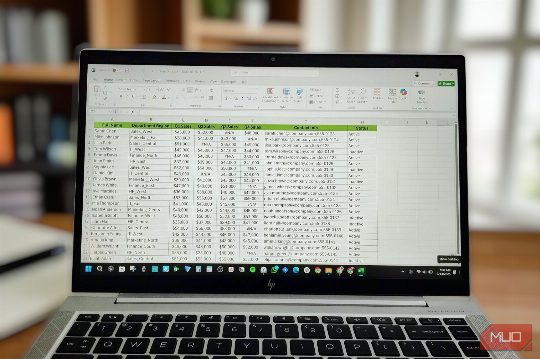
This guide shows how to leverage Excel's advanced Data Model feature to eliminate lookup formulas, making data analysis more efficient and accurate.

Discover how the LET function can transform your Excel formulas, making them clearer, more maintainable, and more efficient. Learn how to use LET to simplify complex calculations and improve your spreadsheet performance.

Double brackets in Excel are not as complex as they seem. They allow you to combine multiple components of a table into a single formula, making advanced formulas more readable and usable.

Excel is essential on the desktop, but your phone can also excel in certain tasks. Learn how to leverage both.

Descubra quatro aplicativos alternativos para Excel que podem tornar suas cálculos mais rápidos e fáceis sem abrir a ferramenta completa.

Learn how the SCAN function transforms Excel formulas, making them dynamic and scalable.

Discover tools that save time and make Excel work easier, without needing to learn new formulas.
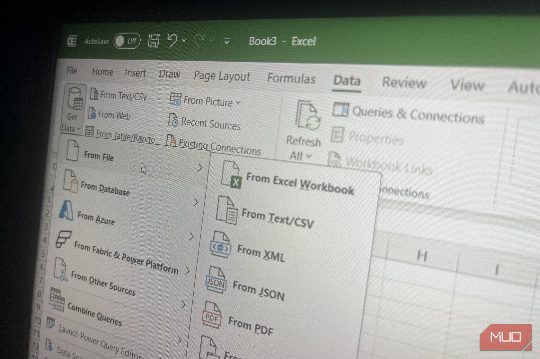
Power Query revolutionized my monthly Excel report process, saving time and effort with its automation features.

Tashreef's experience shows how to replace Microsoft 365 with free alternatives for Word, Excel, PowerPoint, and Outlook.

Microsoft hides several powerful Excel features deep in menus. Discover them to save time and streamline your work.

Your Excel workbook might become a database when it fails to enforce data consistency, leading to errors and inconsistencies.

Master these Excel shortcuts to streamline your spreadsheet work and save time.

Grist offers a hybrid solution combining the best of spreadsheets and databases, providing real types and relationships without the complexity of traditional databases, making it ideal for data management in both personal and professional environments.

Three new Excel functions, REGEXTEST, REGEXEXTRACT, and REGEXREPLACE, streamline text cleaning tasks, replacing complex formulas used for years. These functions are available in Excel for Microsoft 365 and Excel for the web.

Excel’s Goal Seek tool is a powerful yet often underutilized feature for planning and analysis, especially when traditional formulas alone cannot provide answers to complex questions.

DGET is an underutilized Excel function that excels at multi-criteria lookups without the mess of helper columns or concatenated keys, making it a superior alternative to VLOOKUP.

Microsoft has introduced three new regex functions in Excel for Microsoft 365, making text parsing and data cleanup more intuitive and efficient.

Discover six new Excel functions that can save you time and improve your data management, including regex, IMPORTCSV, and LAMBDA.

Mastering the difference between ranges and arrays in Excel can significantly improve your efficiency and reduce common errors, such as #VALUE! and #SPILL! errors.