


HDMI and DisplayPort are constantly battling for the title of best video connectivity protocol. DisplayPort is ahead right now, with DisplayPort 2.1 supporting up to 80Gbps of bandwidth, high resolutions, and high refresh rates. When consumer products for HDMI 2.2, the latest version of the standard, become available, the scales will tip back in favor of HDMI. But as the two dueling video connectivity protocols compete over bandwidth and resolution, there's one DisplayPort feature HDMI can't match.
It's called Multi-Stream Transport (MST), and it allows DisplayPort screens to be daisy-chained together. Essentially, you can use one DisplayPort cable from your computer to connect to multiple monitors — each with their own independent video streams. I usually prefer HDMI over DisplayPort for my displays, but the appeal of Multi-Stream Transport has me thinking twice about that.
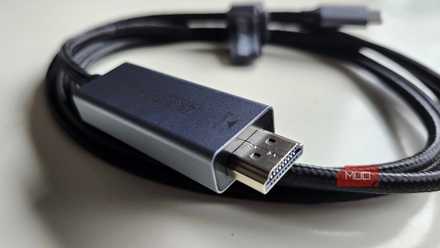
I finally learned why my TV needs HDMI while my PC needs DisplayPort
DisplayPort is the go-to standard for gamers, while HDMI is preferred by home theater buffs — have you ever stopped to ask why? This is the reason.
HDMI doesn't support daisy-chaining
DisplayPort offers this feature via Multi-Stream Transport

Daisy-chaining is a clever cable connection method that can streamline setups, reducing the number of cords that need to be directly connected to your PC or video source. If you have a handful of monitors that need to be connected to a single computer, the conventional wiring scheme would be to run cables for each monitor to that computer or a docking station.
Instead, a set of monitors that support daisy-chaining only needs one cable going directly to the video source. That cable goes to the primary monitor, and the set of monitors are connected to each other, creating a "chain." However, not every connectivity protocol supports this method of connectivity. Taking advantage of daisy-chaining techniques also requires having monitors with enough input and output ports to complete the chain.
HDMI lacks the Multi-Stream Transport feature DisplayPort offers to provide daisy-chaining support. It's not a hardware limitation, but rather, an impediment of the connectivity protocol software. Modern HDMI versions have enough bandwidth to support daisy-chaining in theory, and since HDMI 2.0, the standard supports up to four audio streams and two video streams. But daisy-chaining isn't just about the hardware capabilities, it's also about how video inputs and outputs are managed and organized via topology.
Topology is how a computer, network, or connectivity protocol logically organizes nodes. In this case, DisplayPort's topology handles individual video outputs, and the nodes are each connected monitor. Without this advanced logic, HDMI simply can't match the MST feature.
DisplayPort and Thunderbolt are ideal for linking monitors
Both connectivity protocols support daisy-chaining, but in different ways
In layperson terms, DisplayPort's Multi-Stream Transport feature enables the daisy-chaining of monitors. It first debuted in 2010, and it's available on every DisplayPort version since the v1.2 iteration of the standard. Crucially, MST is also available on cables and devices that support DisplayPort Alternate Mode. This means you can use MST and the DisplayPort standard to daisy-chain monitors together over USB4 Type-C cables — you don't even need to use DisplayPort cables.
From a technical perspective, DisplayPort's Multi-Stream Transport uses software to create individual video streams for each monitor in the chain at the source. If there are a handful of monitors daisy-chained together with only one cable going back to your PC, the computer is still splitting video signals to make sure there's one for each display. Every display in the chain receives video signals from the device before it.
Multi-Stream Transport doesn't require any extra hardware, provided your PC, monitors, and cables all support DisplayPort 1.2 or higher and the MST feature. To avoid replacing all your monitors, you could use an MST hub instead. Instead of splitting video streams at the source, an MST hub handles the division for setups with monitors that don't have the inputs and outputs required to complete a daisy chain.
Multi-Stream Transport is the alternative to basic Single-Stream Transport (SST), which is the basic DisplayPort protocol for sending one video stream to one display. MST works on Windows and ChromeOS by default, but macOS users are left out.
Thunderbolt is an alternative connectivity method that supports daisy-chained displays (and even other devices, like storage servers). Thunderbolt, however, does not use Multi-Stream Transport to achieve this feat. Instead, it creates native video streams for each display, which are separately delivered over a single Thunderbolt cable. This is different from the process used by DisplayPort, which splits streams rather than natively creating them.
HDMI has exclusive features of its own
HDMI has ARC and eARC, DisplayPort has Multi-Stream Transport

HDMI isn't lacking in exclusive features of its own — the protocol's exclusive Audio Return Channel (ARC) and enhanced Audio Return Channel (eARC) are crucial for home theater setups. These features allow sound from a TV or other source to be sent back to a soundbar or a receiver for audio output over a single HDMI cable. It helps users avoid having to run both HDMI and optical audio cables between input and output devices. While HDMI has the exclusive ARC and eARC features, DisplayPort has exclusives of its own with MST.
It goes to show how HDMI and DisplayPort are catered to different use cases. HDMI is made for basic home and TV use, and that's why it prioritizes features like ARC and eARC over daisy-chaining support. DisplayPort is mostly for office and gaming setups, where features like Multi-Stream Transport are a necessity.

UGREEN DisplayPort Cable 2.1
- Brand
- Ugreen
- Cable Type
- DisplayPort 2.1
- Length
- 6.6ft
- Data Transfer Rate
- 54Gbps
- Materials
- 28AWG tinned copper and tinplate
Ugreen's DisplayPort 2.1 cable supports high resolutions of 16K@30Hz, 8K@240Hz, 4K@240Hz, or 1080p@540Hz. It also support DisplayPort's exclusive features, like Multi-Stream Transport.